

The ITGix Application Development Platform empowers teams to deploy and manage application infrastructure with greater simplicity, flexibility, and control. Designed to make cloud infrastructure more accessible, the platform enables users to configure and deploy the resources their applications need through an intuitive user interface-without requiring in-depth knowledge of Terraform modules or underlying cloud platform components.
By optimizing the deployment process, the platform bridges the gap between application requirements and infrastructure provisioning. Users can configure the required resources, validate their infrastructure setup by triggering a dry-run from the interface, and review the proposed changes before proceeding with a full deployment. This approach provides greater transparency, confidence, and control throughout the deployment lifecycle.
Built on Kubernetes, the platform supports the deployment of not only application infrastructure but also complementary tools that enhance operational efficiency and governance. These include solutions that help enforce security policies and tools such as Karpenter, which automates Kubernetes node provisioning and helps optimize cluster capacity. By integrating these capabilities into the deployment workflow, the platform helps teams establish a more complete, scalable, and manageable application environment.
A key advantage of the platform is its commitment to open-source technologies and vendor independence. By leveraging open-source applications, users retain the flexibility to operate, maintain, and evolve their environments independently, reducing reliance on proprietary solutions.
To accommodate different requirements and levels of customization, the platform offers three deployment profiles: Standard, AI, and Custom. Whether users need a streamlined environment for standard workloads, infrastructure suited to AI applications, or a tailored configuration for specific use cases, these profiles provide a flexible starting point for building and deploying application environments that align with their needs.
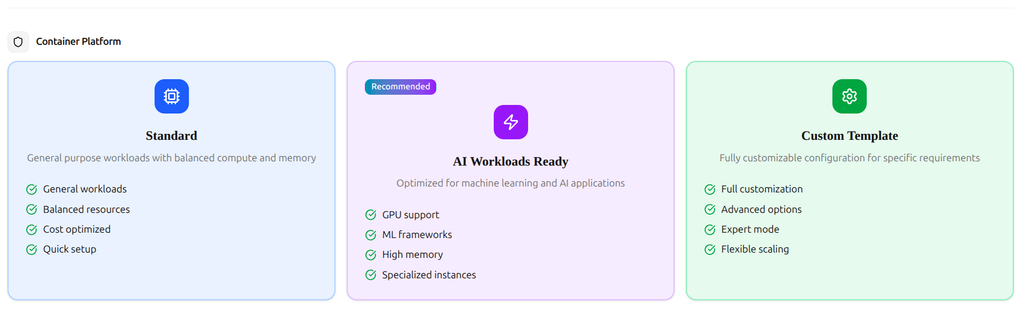
Application Deployment Profiles: Standard, AI, and Custom
To better understand how the platform translates configuration into a working environment, let’s look at what happens when a user selects one of the available deployment profiles.
Standard Profile
When the Standard profile is selected, the platform uses the idp-installer script to bootstrap the standard Terraform templates. The script takes the configuration file generated by the user interface as input and uses it to provision the required infrastructure resources according to the selected setup.
This predefined layout provides an organized and repeatable deployment process, making it an ideal starting point for conventional applications that require a standard infrastructure configuration without the need to build everything from scratch.
AI and Custom Profiles
If you have an AI application that requires the implementation of machine learning models, you can choose the AI template. It includes GPU support and ML frameworks that make deploying your applications easier.
In some cases, users may prefer to define their own templates. The Custom option allows users to specify their own repositories, which are then used by the bootstrap script.
After the configuration is ready, the user is taken to another screen with three options. You can download the configuration file to review or modify it, download a ZIP package containing several scripts-including the idp-installer script and the generated configuration file-or perform the installation directly through the platform.
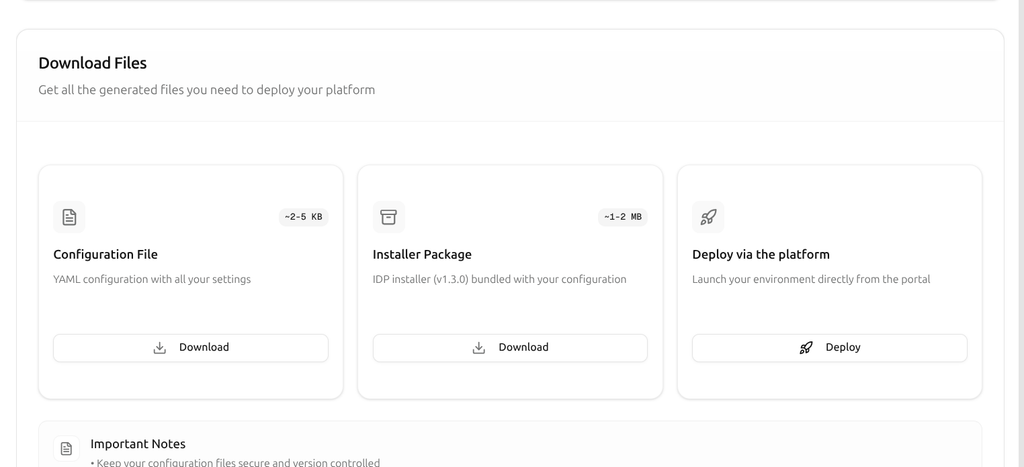
How the ADP Deployment Script Works
Prerequisites for Deployment
Before starting the configuration, the following are required:
- A repository to store the generated Terraform code.
- A repository to store the Helm charts used to deploy the applications.
- Optionally, a repository to store the user’s custom application manifests, which will be deployed in the Kubernetes cluster.
- A token with access to these repositories.
If the user plans to run the script independently, they must run prepare-host.sh or prepare-mac.sh on their computer. The preparation script installs the tools required for the successful execution of the idp-installer script, as well as the tools needed to interact with the Kubernetes cluster.
Another, simpler option is to use the ADP user interface to deploy the environment.
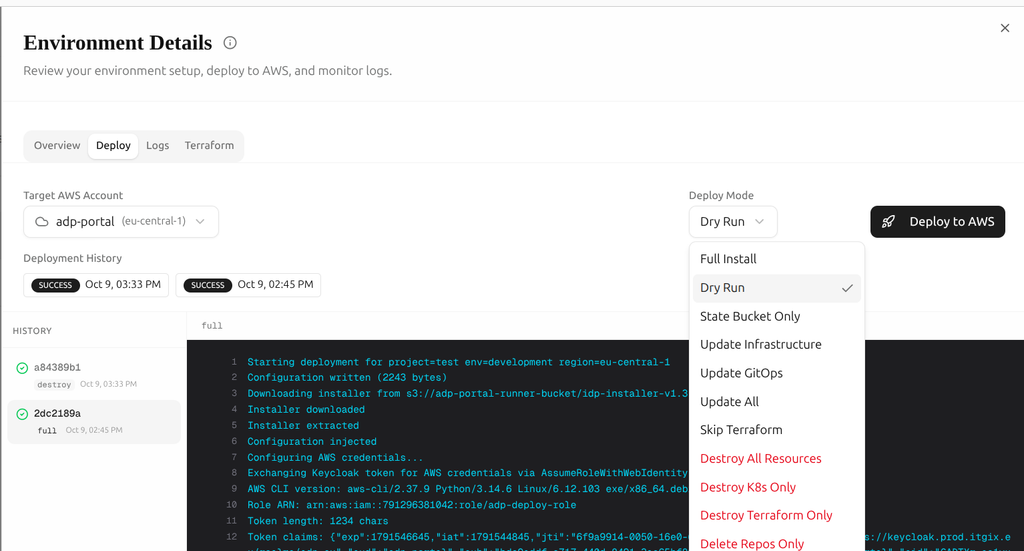
Deployment Modes and Configuration Management
After clicking the Deploy button, the user is redirected to the deployment page, where several deployment modes are available:
- Dry Run: Preview the planned changes before executing the deployment.
- Full Install: Perform a complete installation of the environment.
- Update: Apply changes to an existing environment.
- Destroy: Remove the deployed environment and its associated resources.
The page also includes two additional tabs: Logs and Terraform. The Logs tab provides access to the script execution logs, while the Terraform tab displays the output generated during Terraform operations, such as plan and apply. After each script execution, the generated logs are available for download, making it easier to troubleshoot issues and review previous runs.
Another useful feature is configuration management. Once an environment has been created, users can return to the configuration form and enable or disable individual components according to their requirements.
AWS Account Integration and Authentication
Now that we have covered the deployment workflow, let’s look at how users connect their cloud accounts to the ADP platform and explore the underlying functionality.
Currently, ADP supports Amazon Web Services (AWS) as its cloud provider. Support for Google Cloud Platform (GCP) and Microsoft Azure is planned for future releases.
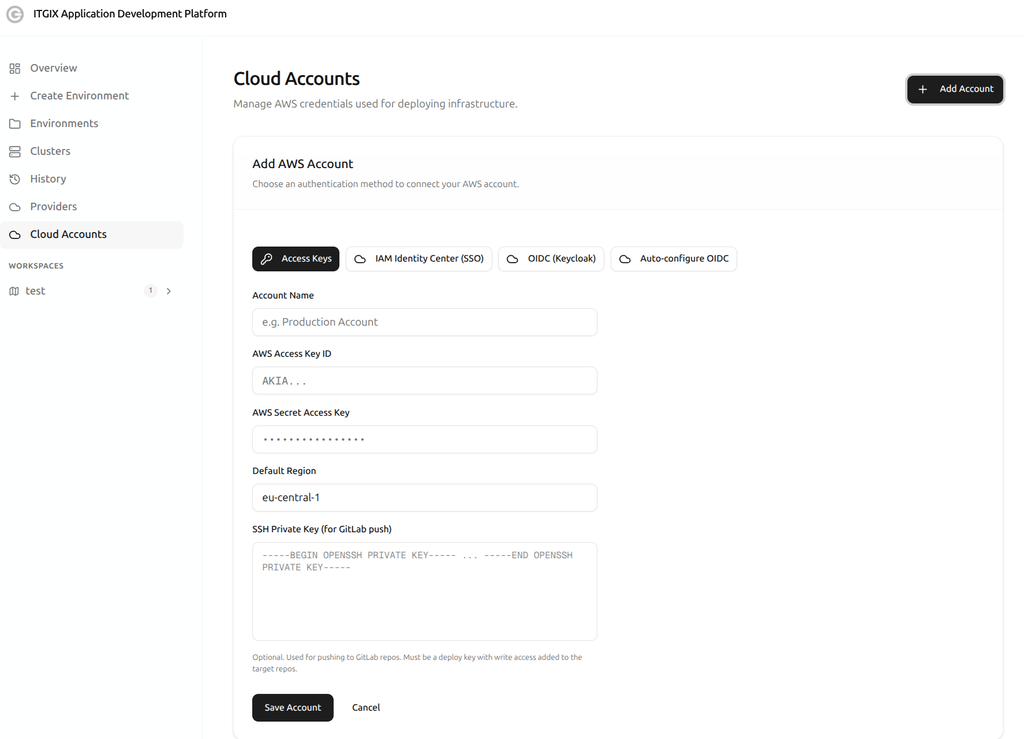
Users can configure AWS authentication through several supported methods:
- Static credentials: An AWS Access Key ID and Secret Access Key.
- Single Sign-On (SSO): Authentication through a supported single sign-on mechanism.
- OIDC (Keycloak): Authentication using OpenID Connect with Keycloak.
- OIDC auto-configuration: Automated configuration of the OIDC integration.
The platform also provides a field for specifying a private SSH key, which can be used for bootstrapping the Terraform templates and infrastructure applications from GitHub.
The available authentication method determines how ADP obtains the credentials needed to access the AWS account and perform the required deployment operations.
Application Monitoring with ArgoCD and Backstage
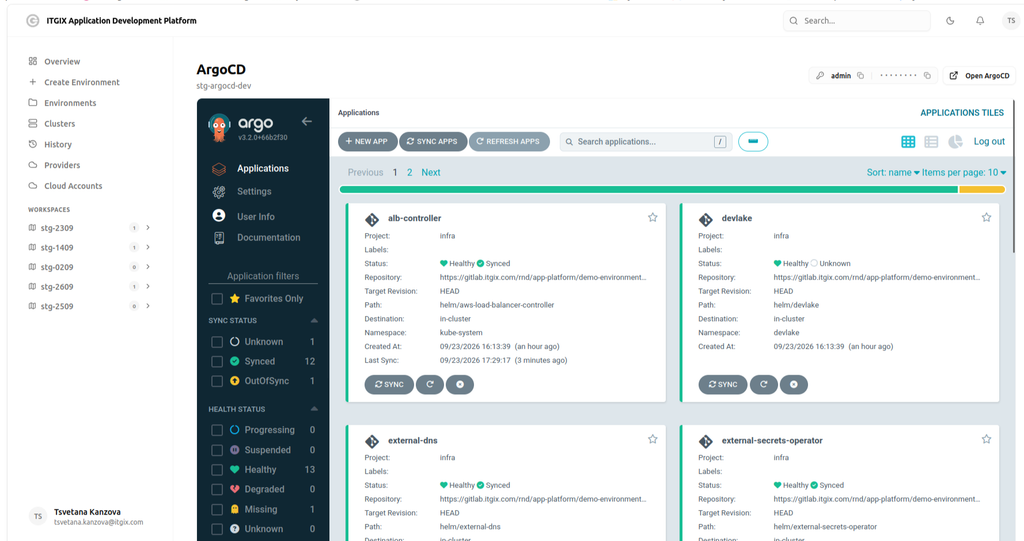
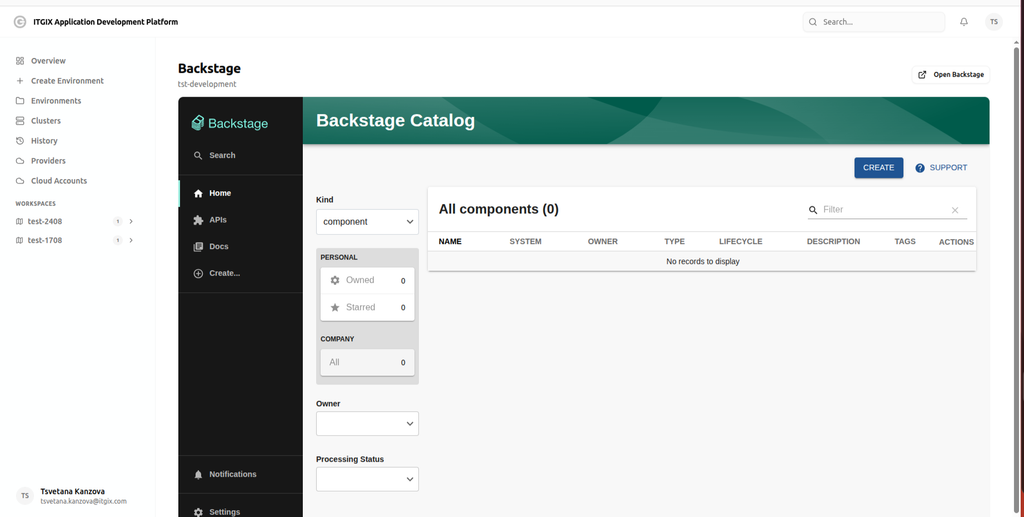
The ADP user interface allows you to examine the status of your applications in the newly created EKS cluster. In the Clusters tab, you can review your applications by accessing the ArgoCD user interface and use Backstage to create your own deployments.
Simplifying Cloud Infrastructure Deployment with ITGix Application Development Platform
The ITGix Application Development Platform provides a streamlined and flexible approach to cloud environment deployment and management, bringing configuration, deployment, and monitoring capabilities together in a single platform.
With multiple deployment modes, customizable environment configurations, comprehensive logging, and a range of AWS authentication options, ADP helps simplify infrastructure operations while giving users greater control and visibility throughout the deployment lifecycle.
Designed with extensibility in mind, the platform lays the foundation for broader multi-cloud capabilities, with Google Cloud Platform and Microsoft Azure planned for future releases. By combining automation, flexibility, and a clear deployment workflow, the ITGix Application Development Platform aims to make cloud infrastructure management more accessible, efficient, and scalable as teams’ needs evolve.
Keep an eye on the ITGix blogs for the next chapter.

